

Slotroyals App vs Browser
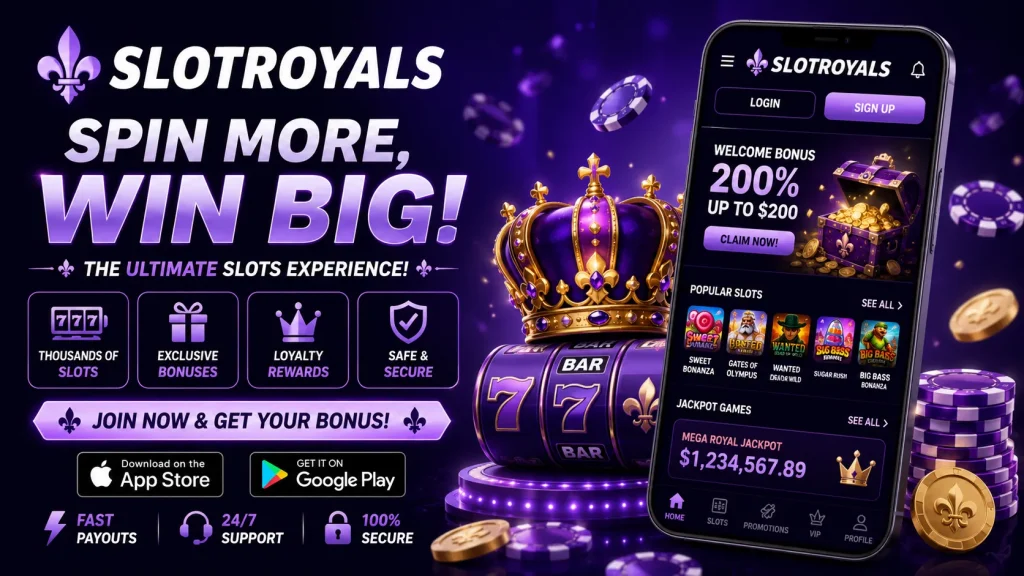
When you’re deciding how to play on the go, the choice usually comes down to two options: downloading the Slotroyals app or simply loading the site through your phone’s browser. Both routes get you into the same casino, but the experience along the way is quite different. We built the Slotroyals app to be the faster, smoother way to play, while keeping the browser version fully functional for those who prefer not to install anything. Below, we break down exactly where each option shines, so you can make the call that suits your habits and your device.
What the App Actually Changes for You
The core difference isn’t the games themselves — it’s how quickly and comfortably you reach them. With the Slotroyals app installed, you tap an icon and land straight in your lobby, session and balance already loaded. There’s no retyping your web address, no re-entering your password every time your browser clears cookies, and no waiting for a full page to render from scratch. Face ID or fingerprint login means you’re in within seconds, which matters if you’re topping up a spin during a commute or a lunch break. The app also handles patchy connections more gracefully, holding your place if your signal drops rather than throwing you back to a blank tab.
Same HTML5 Engine, Different Feel
Both the Slotroyals app and the browser version run on the same HTML5 foundation, and that’s genuinely good news for you as a player. HTML5 means every slot and table game plays instantly, with no separate downloads per title, consistent graphics whether you’re on an old handset or a new flagship, and lower battery and data use compared with older plugin-based systems. It’s why the browser version still performs well and why we can promise cross-device consistency: start a session on desktop, pick it up later on your phone, and nothing looks or feels broken.
Where the app pulls ahead is in how that engine is wrapped. Native app packaging trims loading overhead, caches assets locally, and integrates with your phone’s notification and biometric systems in ways a browser tab simply can’t. So while the underlying game code is identical, the day-to-day feel of tapping through menus, switching tables, or reopening a paused slot is noticeably snappier in the app.
App vs Browser at a Glance
| Feature | Slotroyals App | Slotroyals Mobile Browser |
|---|---|---|
| Login | Biometric one-tap | Manual username/password |
| Load speed | Instant lobby, cached assets | Depends on connection each visit |
| Notifications | Push alerts for promos | Email/SMS only |
| Home screen access | Dedicated icon | Bookmark or saved tab |
| Installation needed | Yes (APK or iOS install) | No, works instantly |
| Game catalogue | Full range | Full range |
Games: No Cut-Down Mobile Version
A common worry with casino apps is that mobile means a stripped-back selection. That’s not the case here. The Slotroyals app carries the same slots, table games, live dealer studios and jackpot titles you’d find browsing on a laptop. Search and filter tools let you sort by provider, volatility or theme just as thoroughly in the app as in the browser, so you’re never trading choice for convenience. If anything, having quick filter access on a smaller screen makes narrowing down a session faster, since you’re not scrolling through a desktop-width grid squeezed into a phone display.
Payments Side by Side
Depositing through the Slotroyals app tends to be quicker simply because your card or e-wallet details can be saved securely for one-tap top-ups, and UK-friendly methods like debit cards, Apple Pay and popular e-wallets are all supported natively. The browser version supports the same payment options, but you’ll typically re-enter details more often unless your browser autofill is well configured. Withdrawal speed and limits are identical across both platforms — we don’t offer faster cash-outs for app users, and we won’t pretend otherwise. What the app does improve is transparency: your transaction history and pending withdrawal status are easier to check at a glance without navigating a full desktop-style menu.
When the Browser Still Makes Sense
The app isn’t the only sensible option. If you’re on an iPhone and prefer not to sideload anything, adding the Slotroyals site to your home screen as a web app gives you a similar icon-based shortcut without a traditional install. It’s also the practical choice if you’re playing from a work or shared device where you don’t want an app icon visible, or if you simply want to try the casino before committing to a download. The browser version at Slotroyals is never a downgrade — it’s a fully capable way to play that some of you will genuinely prefer.
Installing the App: iOS, Android and What You’ll Need
Android users download the Slotroyals APK directly from our site rather than Google Play, since real-money gambling apps are restricted on the Play Store in the UK and most regions. You’ll need to allow installation from unknown sources in your phone settings, a standard step for any casino or betting app distributed this way. iOS users can install a home-screen web app through Safari’s share menu, which behaves much like a native icon. In terms of system requirements, most Android devices from the last four or five years running a reasonably current OS version will run the Slotroyals mobile app smoothly, and the same applies to recent iPhones.
Troubleshooting Common Snags
If the Slot Royals app won’t install, double-check that unknown sources are enabled and that you’ve downloaded the file directly from our site rather than a third-party link. Login problems usually trace back to an outdated app version, so updating first often resolves it before you need to reset a password. Slow loading is almost always connection-related rather than app-related, given the lightweight HTML5 core; switching from mobile data to Wi-Fi, or vice versa, typically clears it up. If issues persist, our support team is reachable around the clock, and getting help is genuinely faster from inside the app, where your account details are already attached to the chat.
Security and Fair Play, Regardless of Platform
Whichever way you access us, the protections are identical. Slotroyals operates under UK gambling regulation, encrypts all payment and account data, and uses independently tested RNG systems across every slot and table game. Responsible gambling tools, including deposit limits, time-outs and self-exclusion, are available whether you’re on the app or browser, and support is staffed 24/7 either way. The one real difference is convenience: with the app’s push notifications, you’ll hear about deposit limit reminders or account alerts faster, and reaching a live agent takes one tap instead of a search.
Mobile-Exclusive Offers Worth Checking
We occasionally run promotions specifically for players using the Slot Royals app, from free spin drops announced via push notification to slightly enhanced match offers tied to your first mobile deposit. As with any bonus, wagering requirements and eligible games are listed in full on the offer terms before you opt in, so you know exactly what you’re agreeing to. If you’re weighing up whether the download is worth it, these app-only promotions are often the deciding factor for regular players.
Ultimately, both routes lead to the same fair, secure casino experience. If you play often and want the fastest, most seamless version of Slotroyals mobile, the app is the clear upgrade. If you’re an occasional player or on iOS without wanting a sideload, the browser remains a solid, fully-featured alternative.